

11.02.2026
📌 Claim Your FIFAe World Cup 2026™ Challenger Series Profile | FIFA.GG Guide
SPANISH VERSION | GERMAN VERSION | PORTUGUESE VERSION | FRENCH VERSION|JAPANESE VERSION| PORTUGUESE VERSION (BRAZILIAN)| TURKISH VERSION | ARABIC VERSION | INDONESIAN VERSION | KOREAN VERSION | THAI VERSION
The new season is here! Whether you play eFootball™ on Console or Mobile, you can now compete for a chance to represent your country on the global stage. More information can be found here. Use the guide below to follow the full journey on FIFA.GG: from registration through to claiming your ranked position.
Quick Check: If you already have a FIFA.GG account with a linked eFootball™ User ID from previous seasons, you’re likely all set! Check the "How to know if I have successfully claimed my profile" section at the bottom to confirm.
Step 1: Create your FIFA.GG account
NOTE: If you already have a FIFA.GG account, skip to Step 2.
To create a FIFA.GG account:
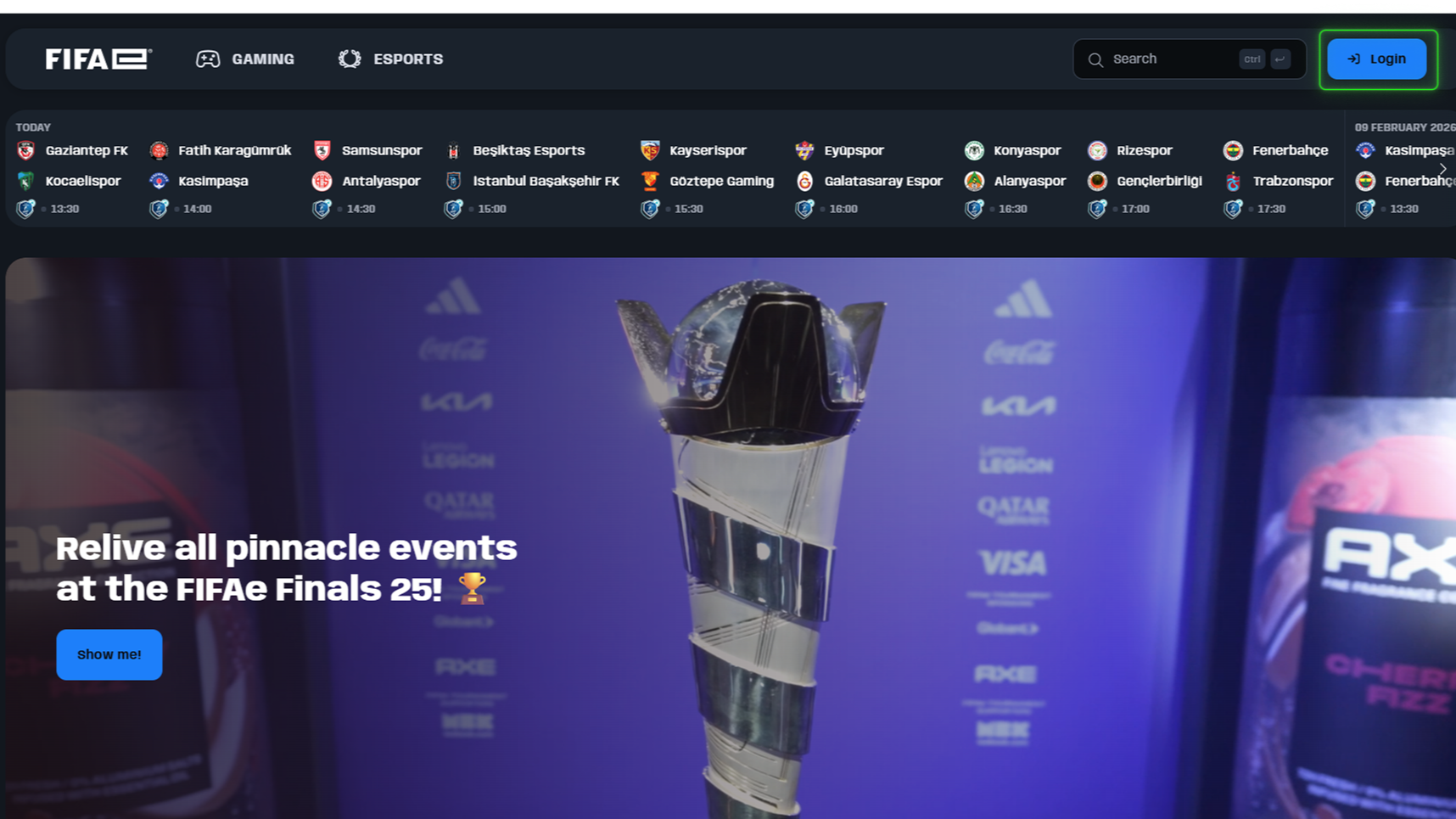
1. Visit FIFA.GG: Click Login in the top-right corner.
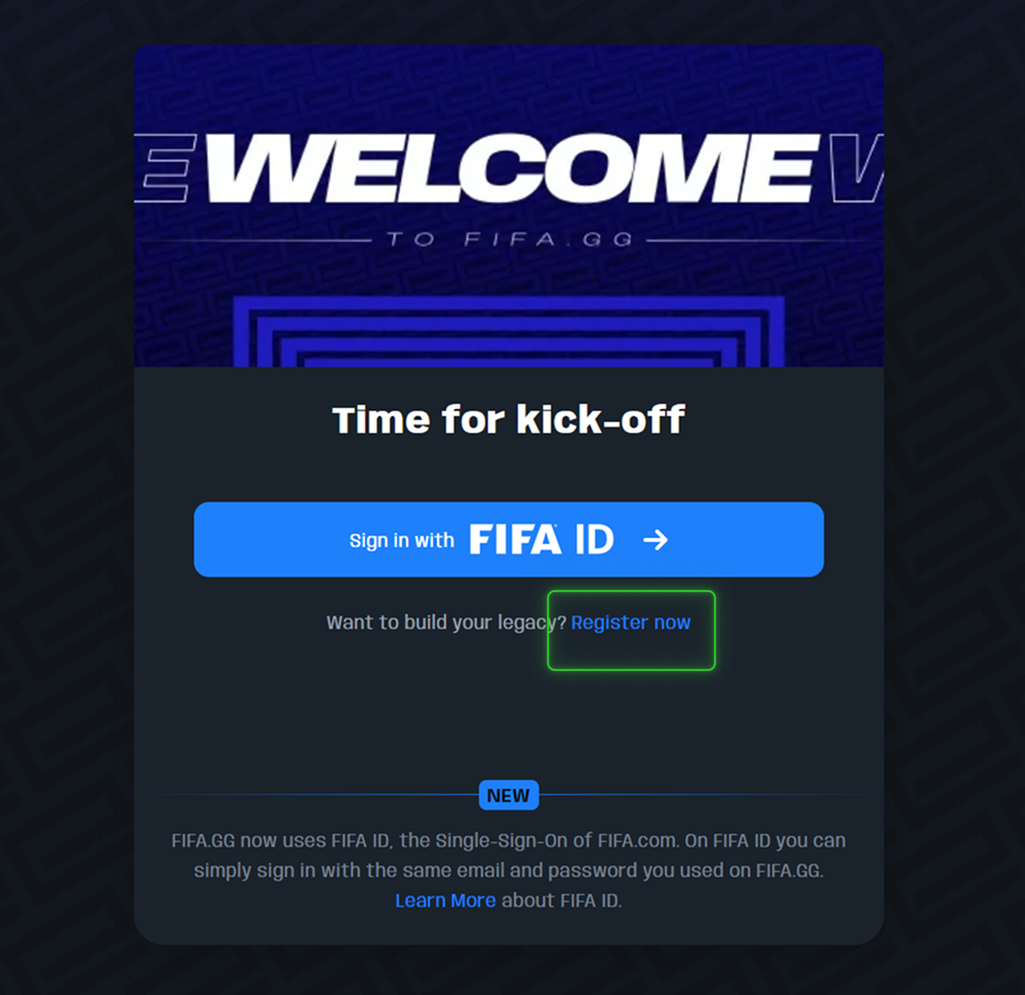
2. Sign Up: Select Register Now, then click SIGN UP on the FIFA ID screen.
3. Personal information: Fill in your personal info. Please use an email you have access to, as you will have to confirm your email later.
4. Verify: Open the confirmation email and click Confirm email.
Step 2: Create a player profile
NOTE: You can skip this step if you already have a FIFA.GG eFootball™ player profile!
If you already have an eFootball™ player profile on FIFA.GG, skip to Step 3.
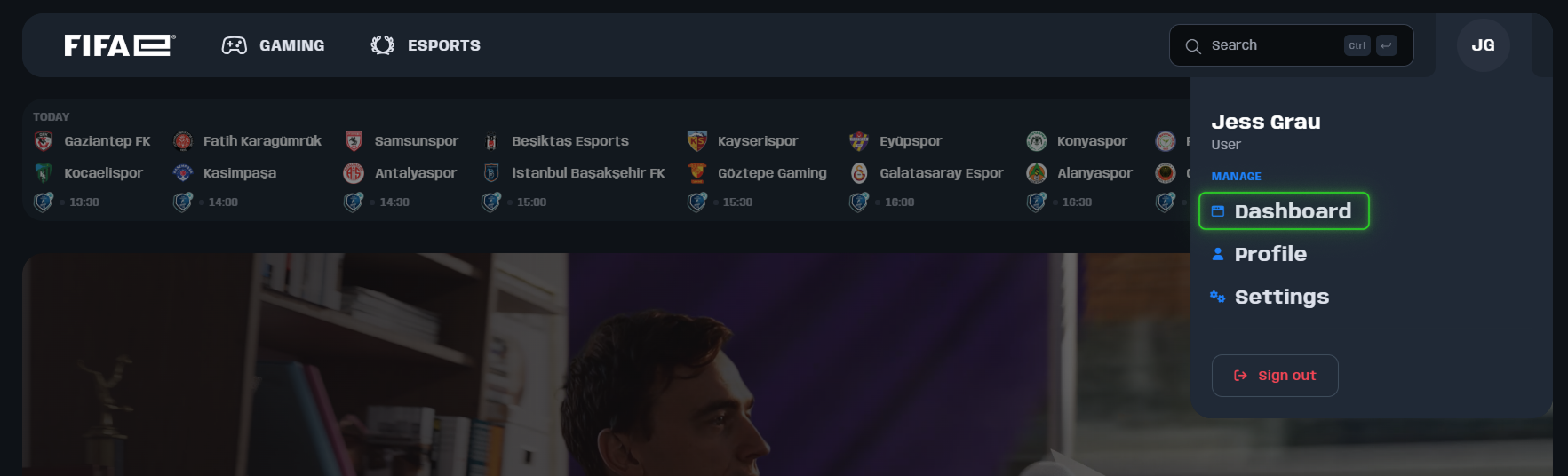
1. Access Dashboard: Hover over your initials in the top-right corner and select Dashboard.
2. Pick Your Game: If you’re opening your dashboard for the first time or setting a player profile for the first time, Find the "Create Your Player Profile Now " section and select eFootball™.
If you already have another player profile, the button will look like “Become a Player in an additional game title!”
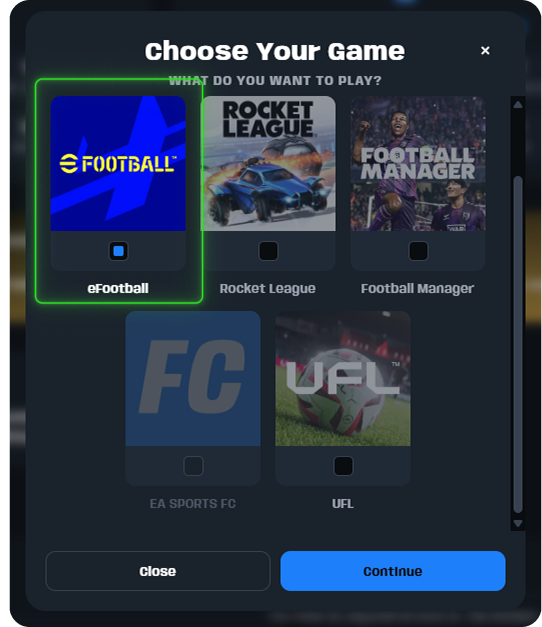
3. Set Identity: If it’s a new FIFA.GG account, you will be asked to choose your Display Name and Country.
Important: Your country must match your actual nationality. This cannot be changed later!
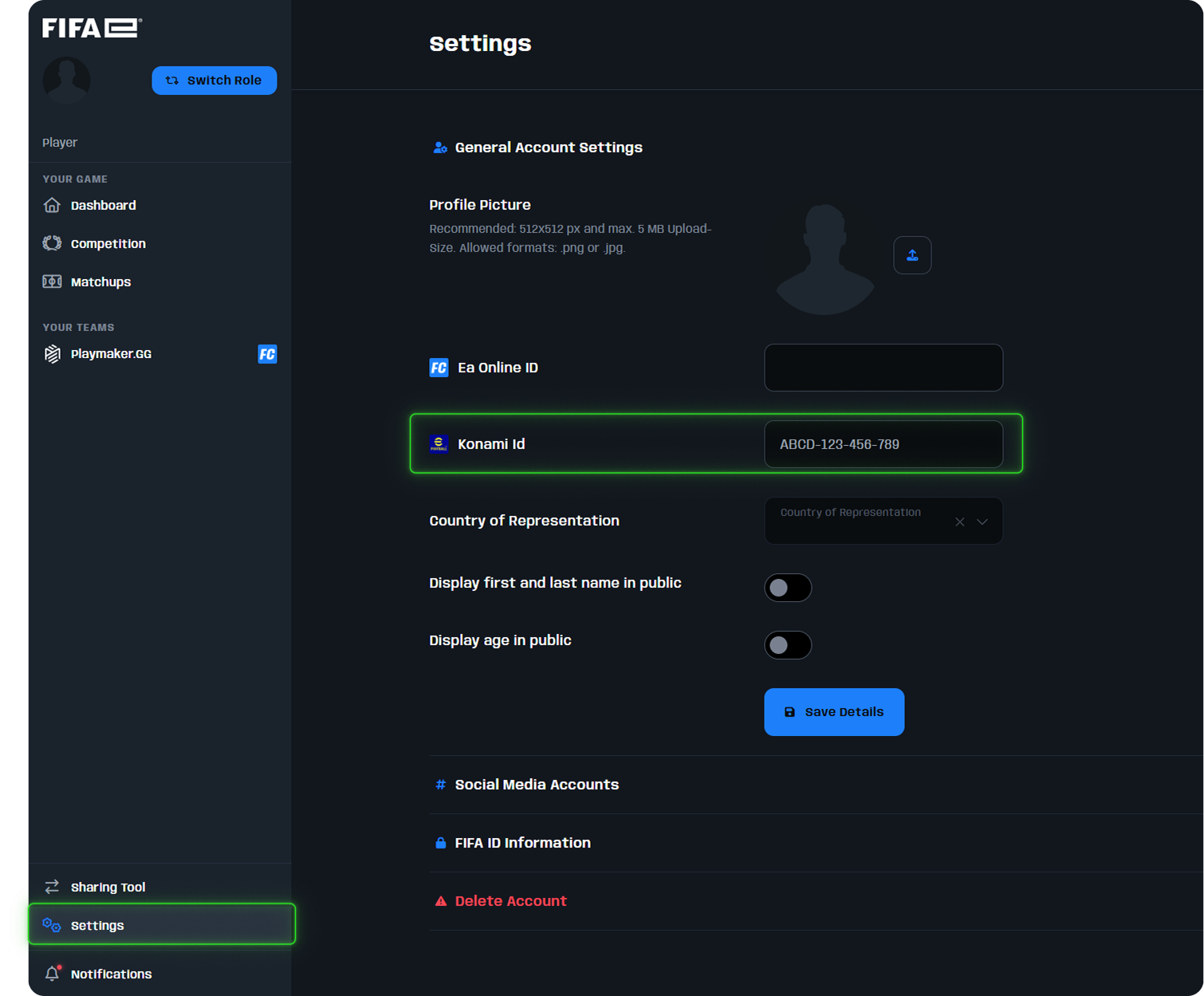
4. Link Your ID: Go to Settings in the sidebar to enter your User ID.
How to find your 13-digit User ID?
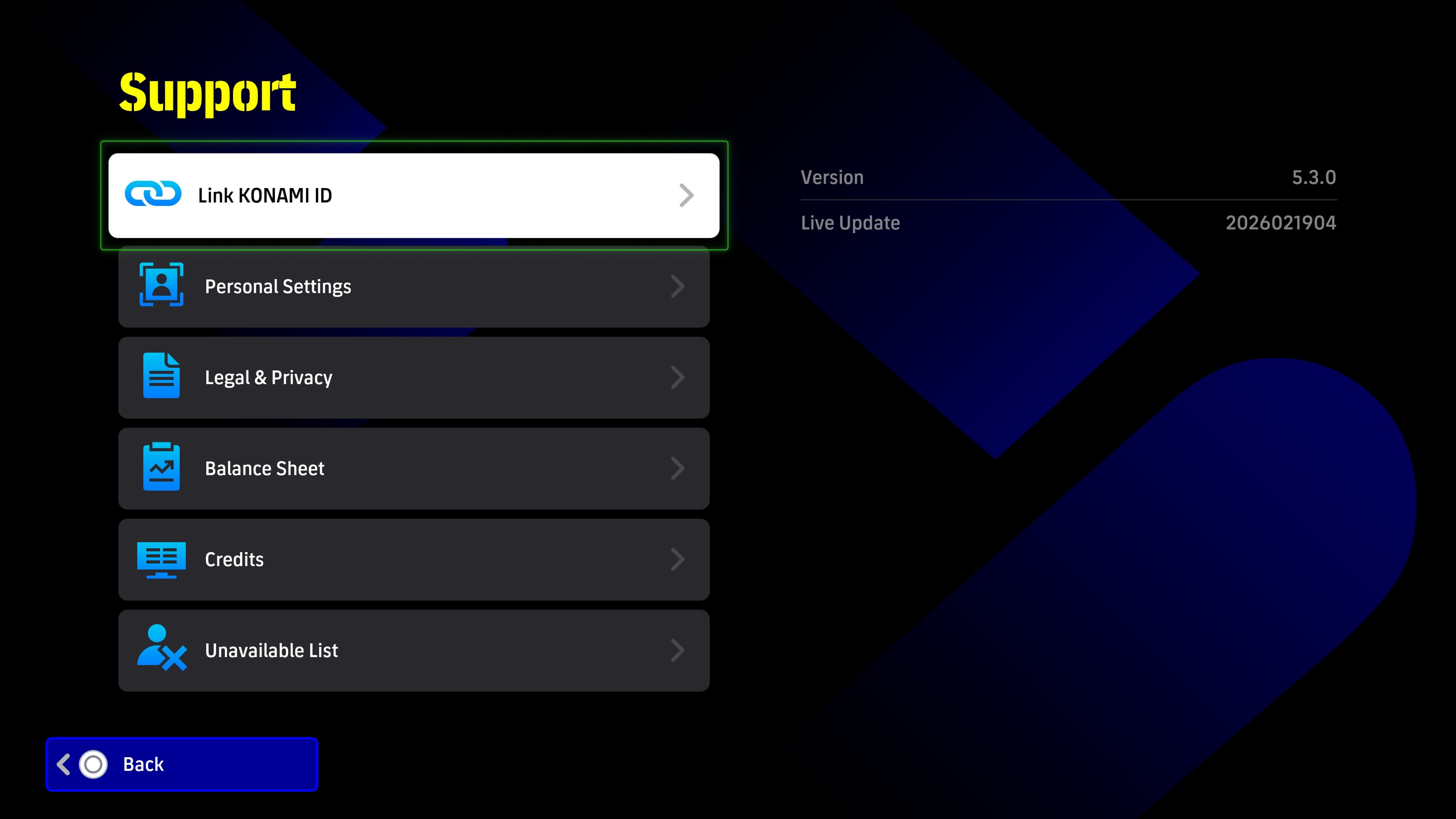
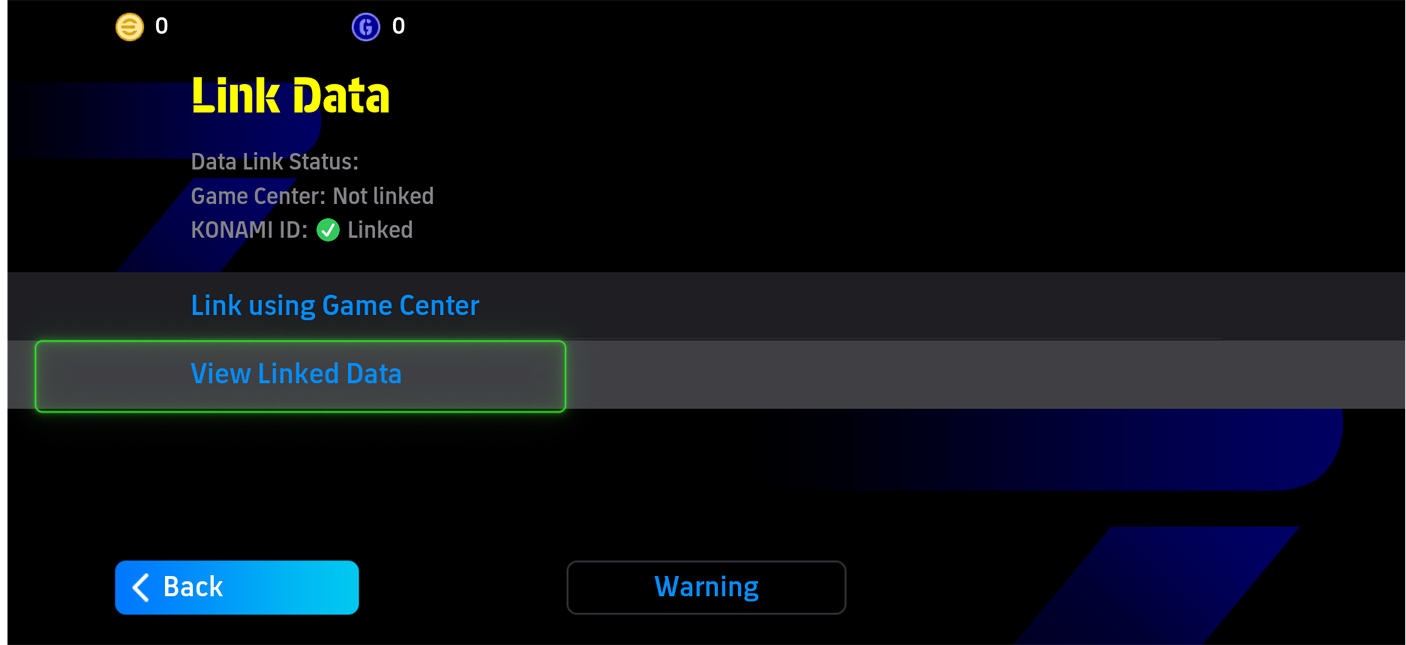
Your User ID is a 13-character code (e.g., ABCD-123-456-789). In-game, you can find it through this route: Go to the In-game Home Screen➔ Extras➔ Support➔ Link Data ➔ Link Konami ID
Go to the FAQ “What is my User ID and where do I find it?” for a detailed guide on how to find it.
Step 3: Claim Your Rank
Once you have completed the in-game rounds and rankings go live, you must ensure your in-game rank is linked to your FIFA.GG profile. You can do this in two ways:
Option A (Automatic): If you followed Step 2 and saved your Konami User ID in Dashboard -> Settings, your rank will link automatically.
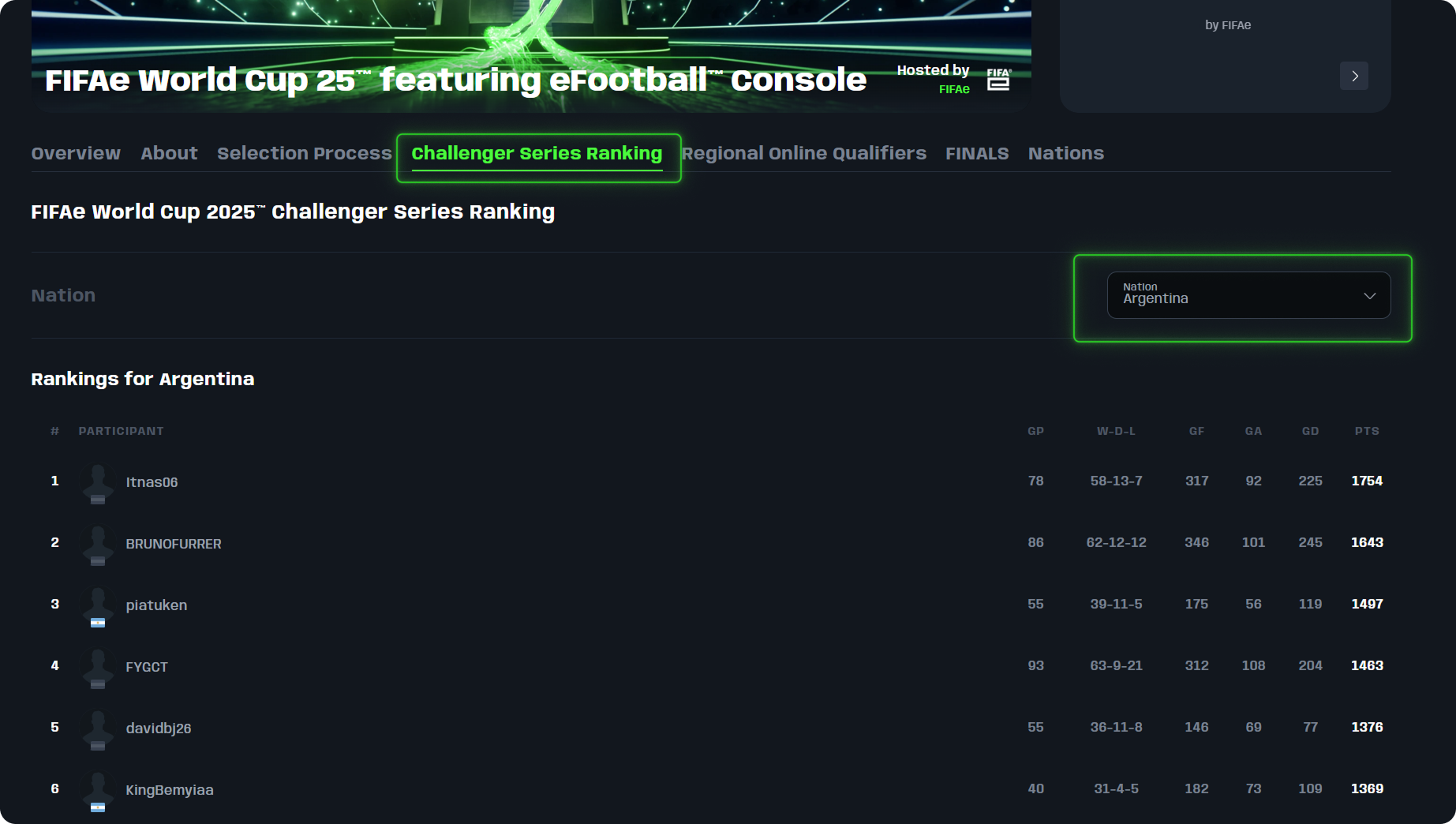
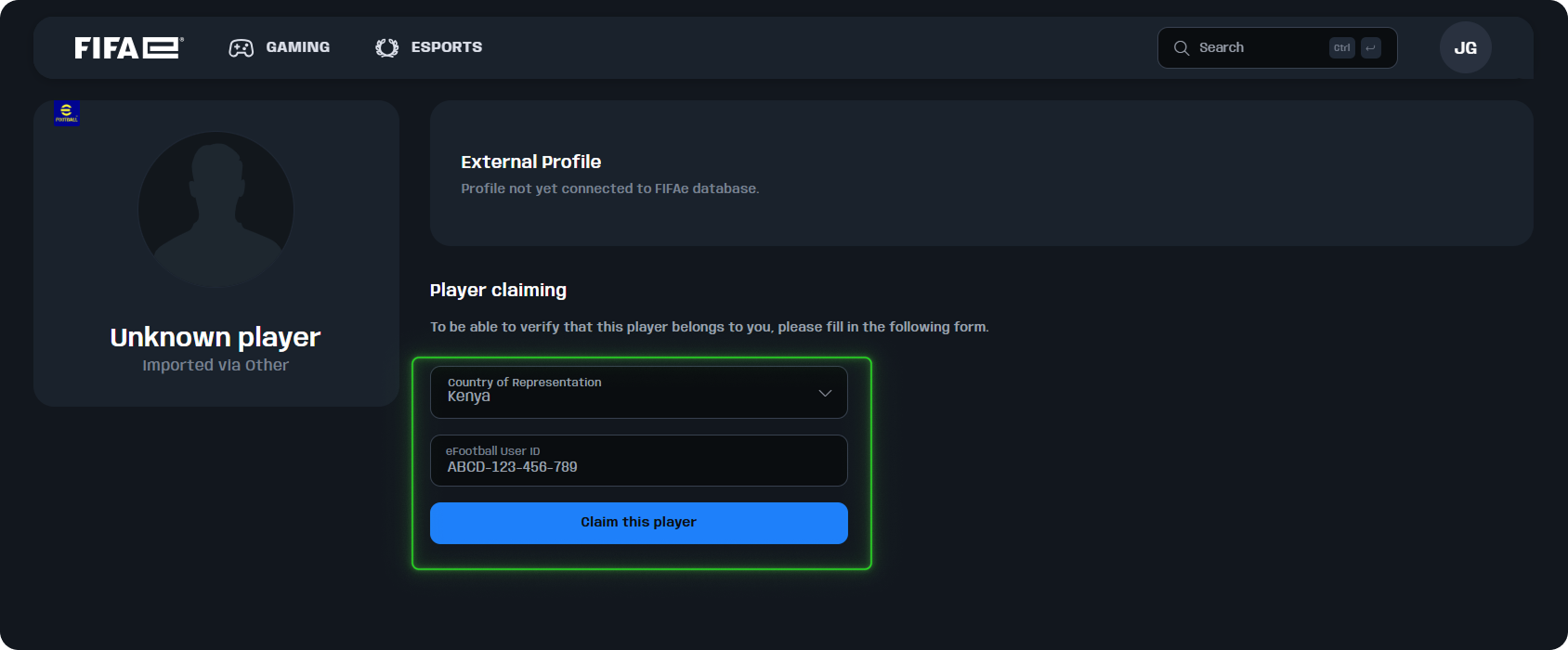
Option B (Manual): Go to the Ranking page on FIFA.GG, search the nation you are representing, click on your Gamertag, and enter your Country and Konami User ID when prompted.
Verify your profile is successfully claimed
You’ll know you’ve claimed your ranked position correctly when your Gamertag appears on the national ranking leaderboard next to your national flag.
Flag showing? You have successfully claimed your ranked position and you are eligible for national team selection.
No flag? Your profile isn't claimed yet or your Konami ID is incorrect. Double-check your User ID in Settings via your dashboard (Step 2)

FAQs
Do I need to claim my profile if I already have a FIFA.GG account with a User ID?
No. If you have already set your User ID on your profile, this will match our database, and you don’t need to do anything else.
How do I know if my ranked position is successfully linked to my profile?
Go to the ranking for your platform:
If your country flag or profile picture is displayed, your profile is claimed.
If it shows a gray flag or “Unknown player,” follow the instructions under Step 3 in this guide to claim it.
What is my User ID and where do I find it?
The User ID is Konami's unified account system for eFootball™, used to securely link and save your in-game progress, players, coins, and data across devices and platforms.
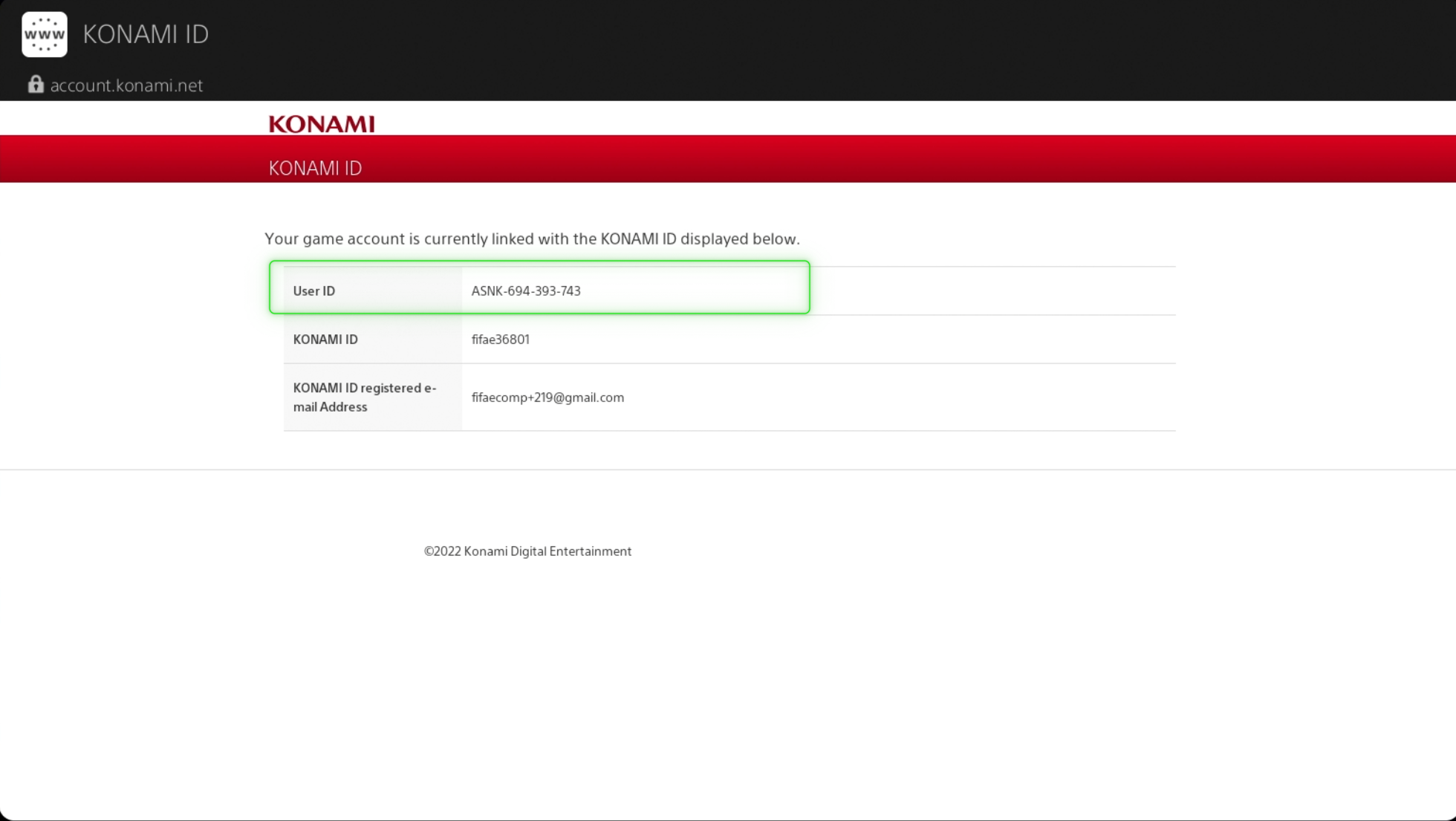
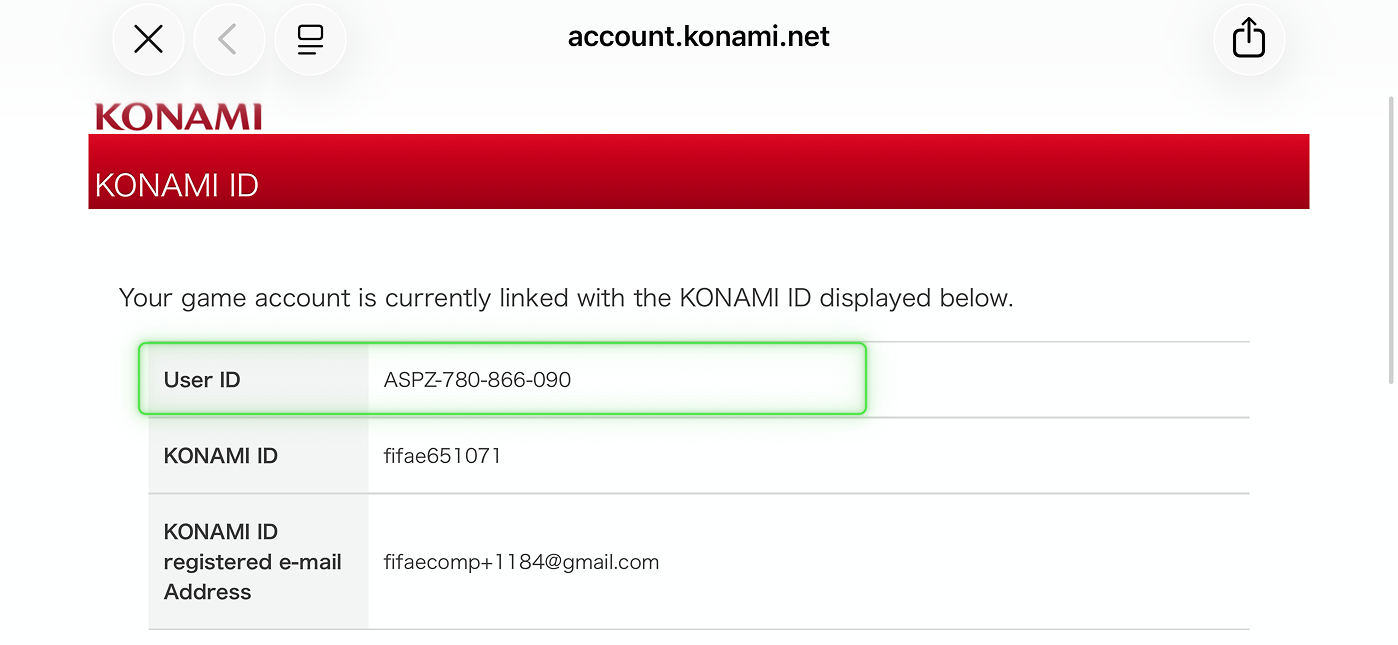
If you haven’t registered it yet, or if you already have and just want to check your User ID, go in-game to (Extras -> Support -> Link Konami ID) and follow the on-screen process via the link that opens on your device. Once completed, return to the game and click on Link Konami ID again to view your full Konami ID details.
The correct User ID is a 13-character alphanumeric code that can be found in-game, formatted like this: ABCD-123-456-789. Your username in-game does NOT count as the User ID.
Find your User ID (KONAMI ID) on Console
Find your User ID (KONAMI ID) on Mobile
I already have a FIFA.GG account from another title, do I need a new one?
No, you just need to select “Become a Player in an additional game title!” on your dashboard and select eFootball™. You can then finish your eFootball™ profile by setting your User ID.
My username already exists on FIFA.GG. What should I do?
Sometimes temporary profiles are created to cover past competitions. If your gamertag is already in use:
Use a variation of your name (e.g., username., username_, username1)
Then contact support@fifa.ggto request a merge with your preferred username.
If another player has already claimed your desired username, we cannot guarantee we will be able to change it without proof of consent.
What if I am outside of the top 100?
Only profiles within the Top 100 are shown on FIFA.GG.
What is FIFA ID?
FIFA ID is the universal login system for FIFA. Existing users can sign in with their FIFA ID, while new users will automatically create one during registration. FIFA ID also unlocks access to a world of FIFA services, including FIFA+, FIFA Store, FIFA Collect, PlayZone and of course, FIFA.GG.